At Mifuto, we are always working to make booking faster and easier for our providers. We’re excited to introduce new features inside the Provider Mifuto Account under the “Navigate – Book Service” section.
These updates are designed to help providers confirm client bookings quickly and professionally.
📌 3 Easy Booking Options Now Available
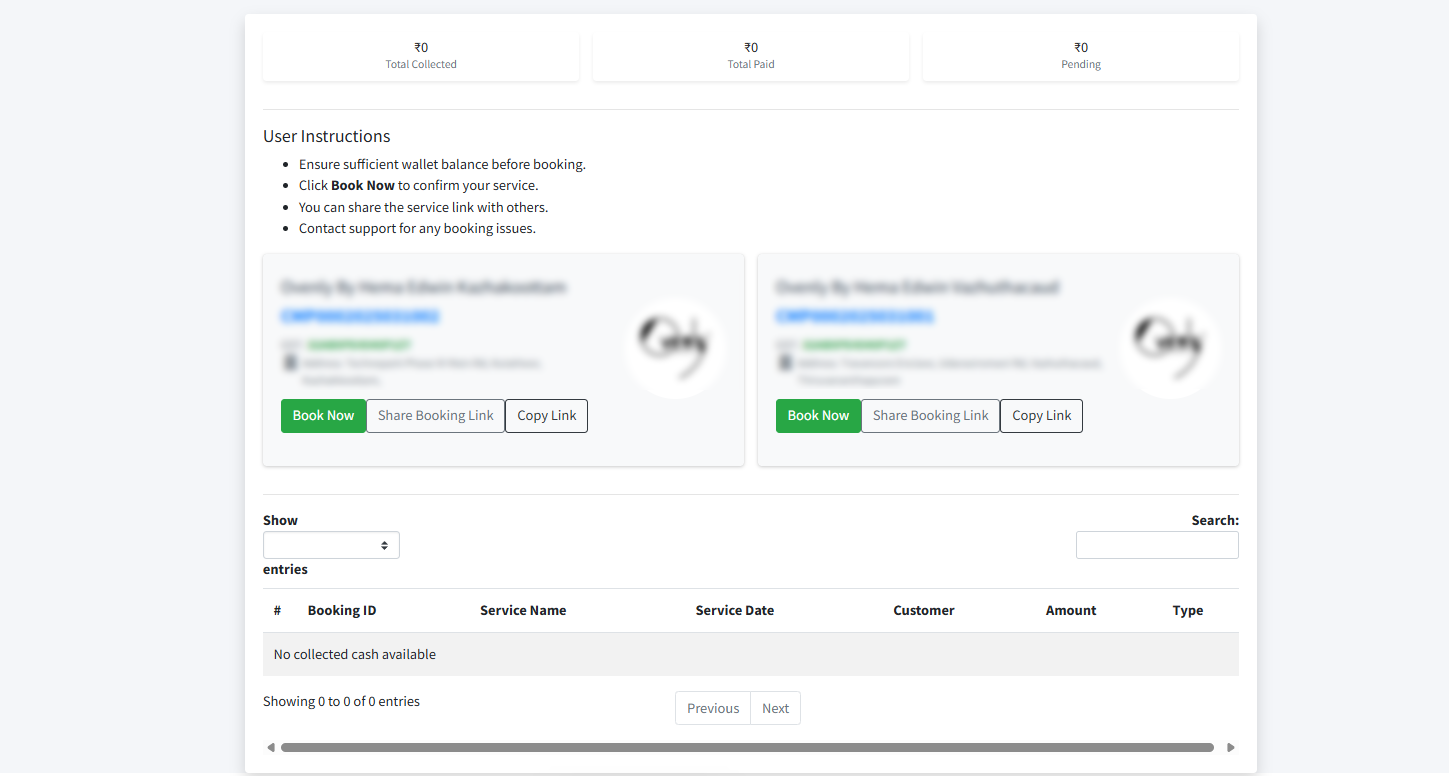
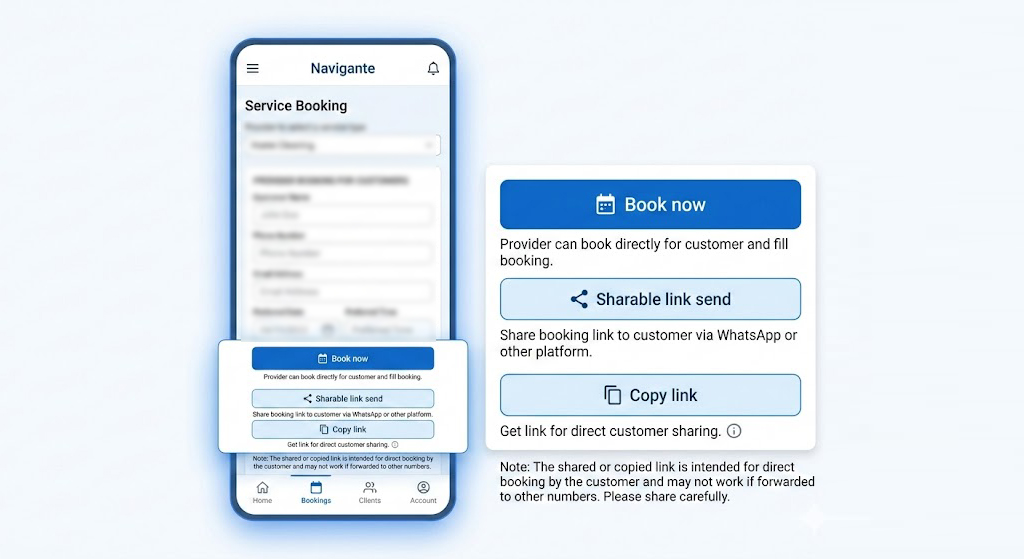
Inside your Provider Dashboard → Navigate – Book Service, you can now see three options:
1️⃣ Book Now
When the provider clicks “Book Now”, you can directly complete the booking on behalf of your customer.
This option is useful when:
-
The client confirms details over call or WhatsApp
-
The client wants you to handle the booking process
-
You are closing the deal instantly
This ensures quick confirmation without delay.
2️⃣ Shareable Link
When you click “Shareable Link”, the system generates a booking link that you can send to your customer via:
-
WhatsApp
-
Instagram DM
-
SMS
-
Email
-
Any other platform
The customer can open the link and complete the booking directly.
3️⃣ Copy Link
When you press “Copy Link”, the system copies a direct booking link.
You can then paste and send it manually to your customer.
⚠ Important Note:
This booking link may not work properly if it is forwarded from one number to another number. So please share the link carefully and directly with the concerned customer.
🎯 Why This Feature Is Important
-
Faster booking process
-
Easy client conversion
-
Professional booking experience
-
Less confusion in manual coordination
-
Direct tracking inside your provider account
These new features are added specially to help providers increase confirmed bookings without complications.
🌟 Our Goal
At Mifuto, our mission is simple —
To make photography bookings instant, professional, and stress-free for both providers and customers.
Start using the new Navigate – Book Service feature today and grow your bookings smarter 🚀
If you need guidance on using these features, feel free to contact the Mifuto support team.